Mugshot 0.3.0 Released
- Sean Davis
- Release Announcement
- October 14, 2015
Table of Contents
It’s been quite a while since I’ve made a proper release announcement for Mugshot. My last announcement was for 0.2.3; we’ve had two stable and one development release since then. Here’s everything you’ve missed through Mugshot 0.3.0.
What’s New?
New Features
- Mugshot’s license statement has been updated and is now licensed under the GPL version 3 or newer.
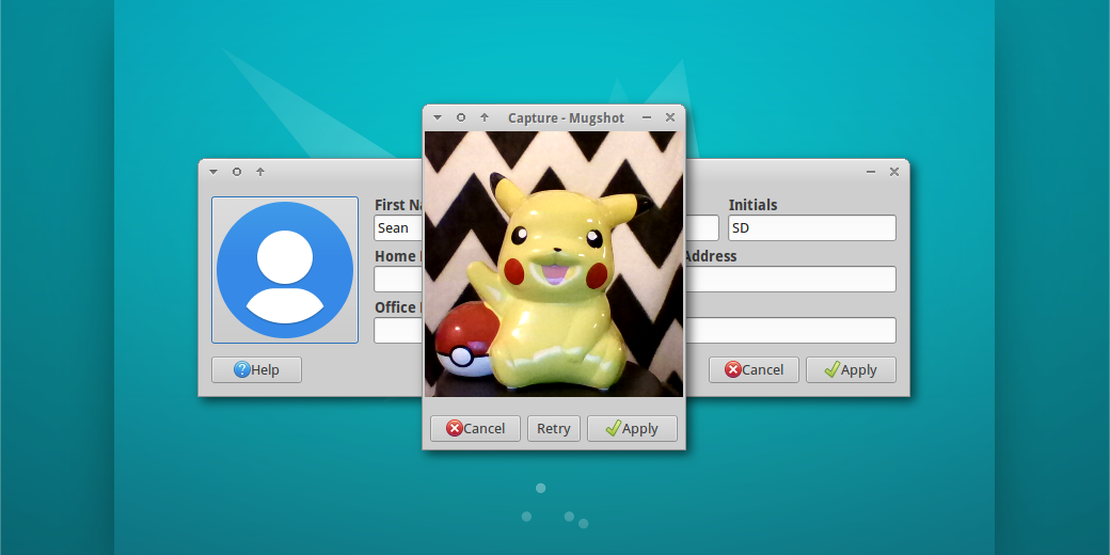
- As of 0.3.0, the camera is now powered by Cheese and Clutter. Below is an important note about Clutter support.
Bug Fixes
- LP: #1310634: Mugshot does not correctly expand user details
- LP: #1311938: Remove hard dependency on AccountsService
- LP: #1315709: Fix timeout by using non-interactive
chfn - LP: #1353530: Fixes startup and improves usability for LDAP users and other users where user details are not properly parsed
- LP: #1414443: Camera doesn’t initialize
Known Issues
LP: #1462445, GNOME: #754640: Some users may find that Mugshot freezes when capturing a photo. This known issue in Clutter also seems to affect other applications. To work around this, launch Mugshot with:
CLUTTER_BACKEND=x11 mugshot
Downloads
The latest version of Mugshot can be downloaded from Launchpad. Ubuntu 15.10 “Wily Werewolf” users can install Mugshot 0.3.0 from the repositories:
sudo apt-get update
sudo apt-get install mugshot