MenuLibre 2.0 Released
- Sean Davis
- Release Announcement
- January 22, 2014
Table of Contents
It’s been quite a while since I’ve updated you on MenuLibre’s progress. Today, the advanced menu editor celebrates its latest release: MenuLibre 2.0. Normally, there’d be a change log after the break, but this really is a brand-new application.
What is MenuLibre?
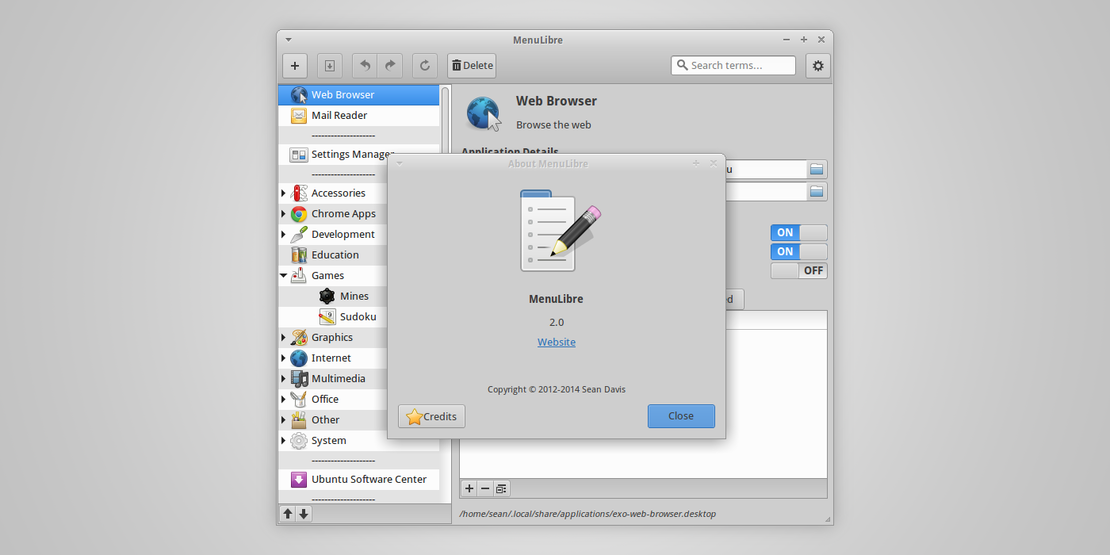
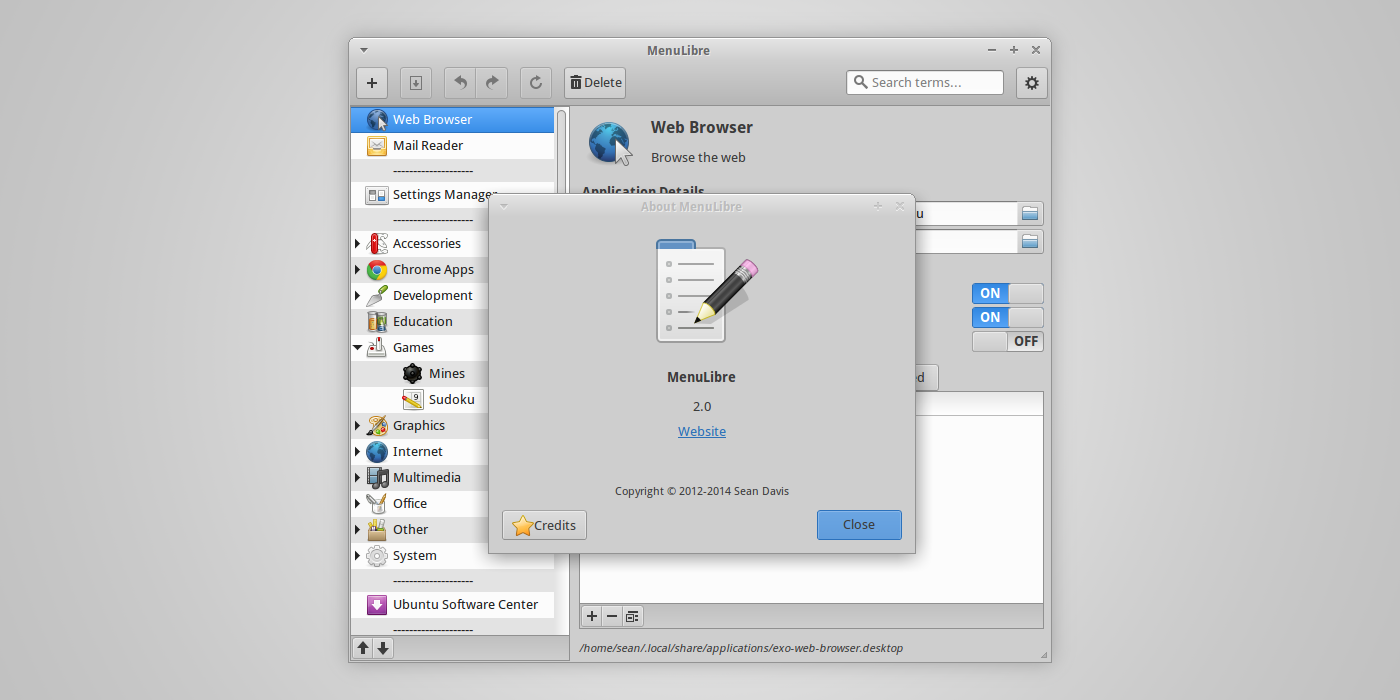
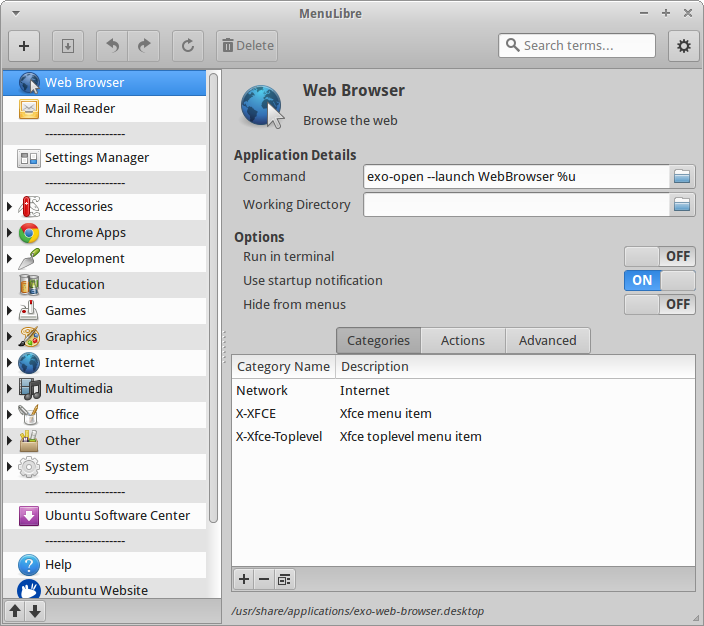
MenuLibre is an advanced FreeDesktop.org-compliant menu editor, similar to the Alacarte Menu Editor. With MenuLibre, you can easily add, remove, and rearrange launchers, directories, and separators. Powered by Python 3 and Gtk 3, it is the complete toolbox for editing menus in Linux. It was developed to support every popular Gtk desktop environment and has been verified to support Cinnamon, GNOME, LXDE, MATE, Unity, and Xfce.
Features
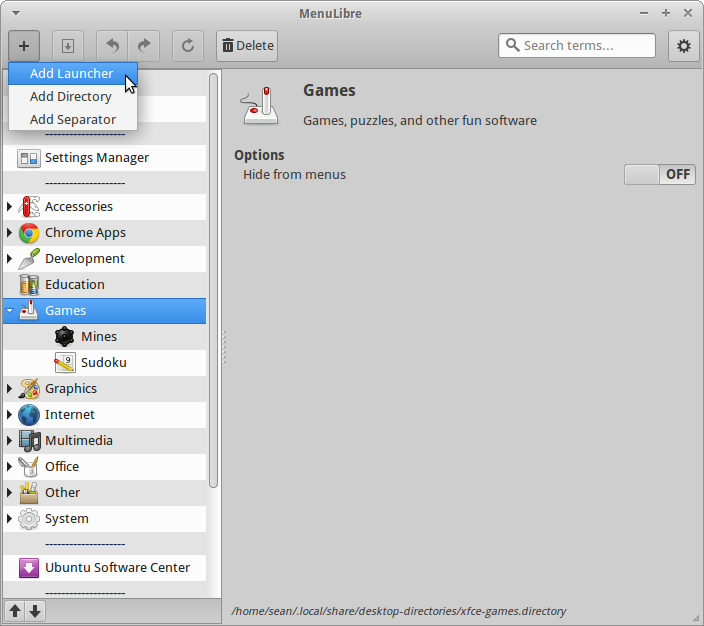
Menu Management: Features expected of a “menu editor”
- Easily rearrange menu items, submenus, and separators
- Add new launchers, directories, and separators
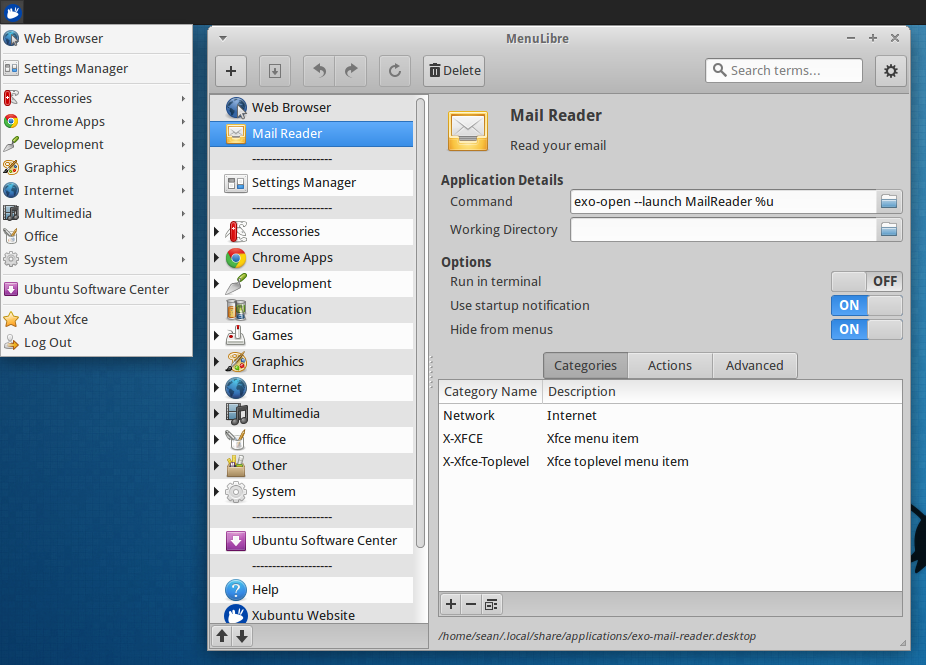
- Installed applications and directories can be hidden from the menu with the flip of a switch.
Adaptive Interface: A consistent look in any environment
- In the GNOME desktop environment, the application menu blends in with that of a typical GNOME application.
- The application can be controlled in Unity using the global menu and HUD.
- Other environments will have basic application controls available within a “cog” menu.
Application Editor: Complete control over how your programs look and work
- Includes each key outlined in the Desktop Menu Specification.
- Tooltips provide additional information about each setting.
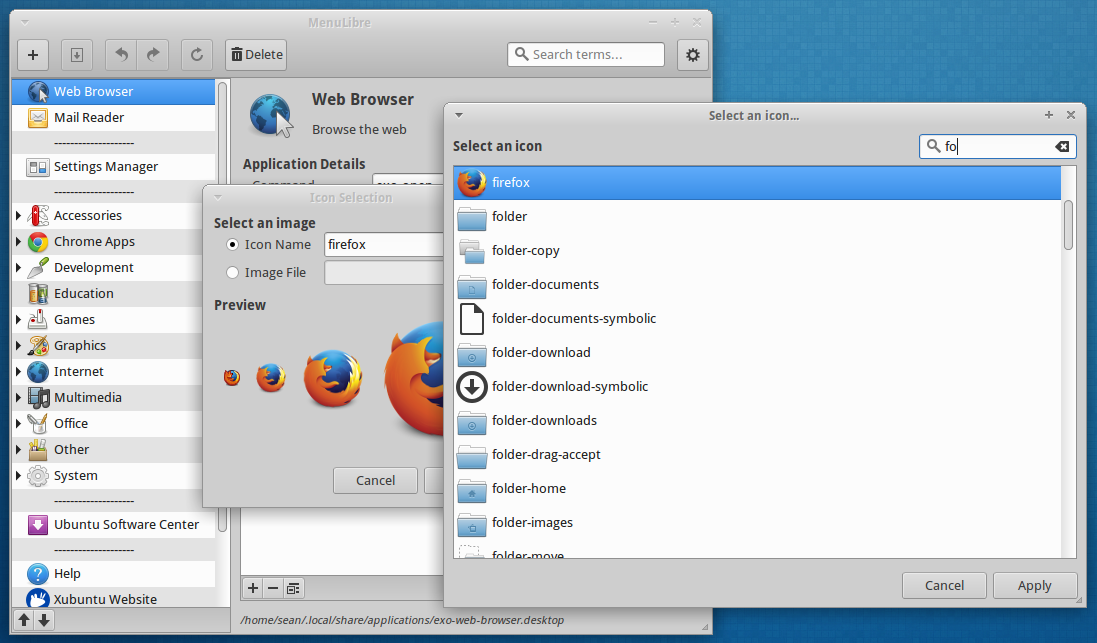
- An easy-to-use icon selection dialog helps quickly customize each menu item.
Screenshots
Getting MenuLibre
Ubuntu 14.04 users can install MenuLibre from the repositories.
sudo apt-get update
sudo apt-get install menulibre
For everyone else, the source package is available from here. To install for a single user,
python3 setup.py install --user
To install system-wide,
sudo python3 setup.py install
Known Issues
There are a few things that haven’t quite been worked out yet.
- Adding new launchers to the topmost menu level in Xfce
- Certain combinations of gnome menu and python3.3 (such as the combo in Ubuntu 13.10) tend to crash after making a change. It’s verified to be fully functional in 14.04
If you find any more bugs, please report them on the Launchpad Bugs page.