Xfce PulseAudio Plugin 0.3.5 Released
- Sean Davis
- Release Announcement
- March 3, 2018
Table of Contents
Xfce PulseAudio Plugin 0.3.5 is now available. Activity has slowed as the project matures and heads toward the 0.4.0 stable release. With some usability refinements and bug fixes, users will find the latest release easy and convenient.
What’s New?
New Feature: Move Streams on Default Output Change (Xfce #14157)
- Before this update, when a new output device was selected from the plugin menu, only newly opened applications would utilize the selected option.
- With this change, any active output streams will immediately be routed to the newly selected device.
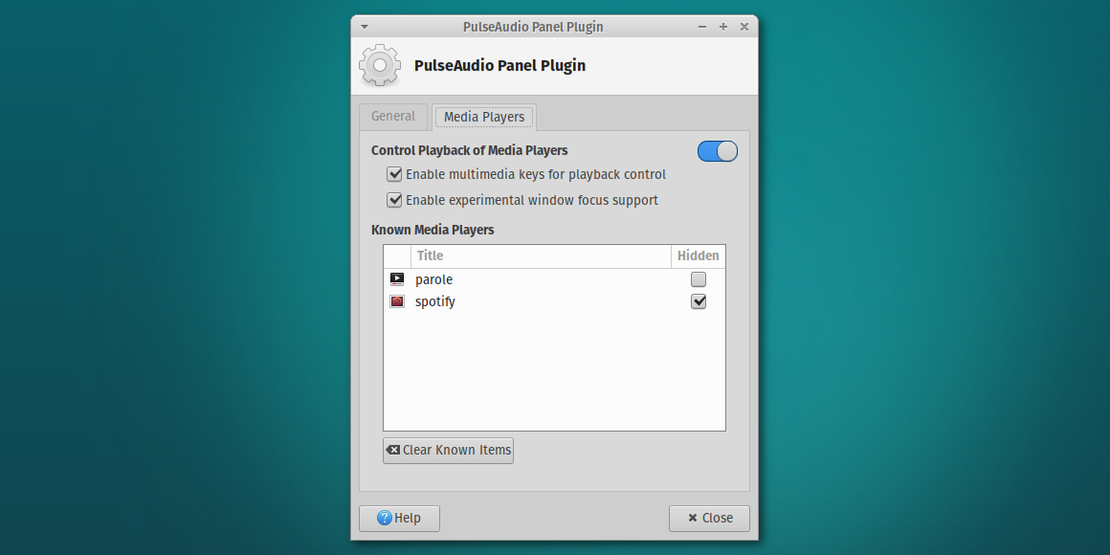
New Feature: Management of Known MPRIS2 Players (Xfce #13903)
- Known media players can now be cleared or selectively hidden from the menu.
Bug Fixes
- Correctly reflect the current volume state at session startup (Xfce #14071, #13677)
- Clear stale data retained after a new Metadata signal (Xfce #14068)
Translation Updates
Catalan, Chinese (China), Croatian, Czech, Danish, Dutch, French, German, Greek, Irish, Japanese, Kazakh, Lithuanian, Malay, Portuguese, Portuguese (Brazil), Russian, Serbian, Slovak, Spanish, Turkish, Ukrainian
Downloads
Xfce PulseAudio Plugin 0.3.5 is already included with Xubuntu 18.04 “Bionic Beaver.” Check it out when you test the Beta next week!
The latest version of the Xfce PulseAudio Plugin can always be downloaded from the Xfce archives. Grab version 0.3.5 from the link below.
- SHA-256: 25e7bc414edf6e16140c31ca4e7dcedd4e17d40ea23a2921beb799fed11a99bb
- SHA-1: 955268828ac53fdfbfa346fbec376aa4f6199385
- MD5: 30cd40be36895c4ced48c2433ff440c4