Catfish 1.4.11 Released
- Sean Davis
- Release Announcement
- December 21, 2019
Table of Contents
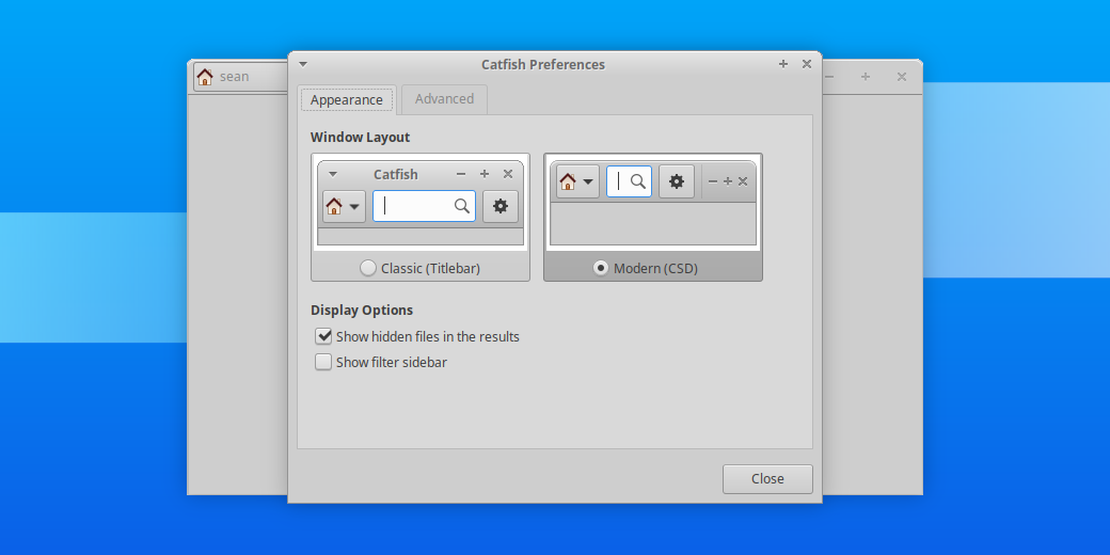
Catfish 1.4.11 is now available. The latest release features improved support for symbolic links, various bug fixes, and a clearer preferences dialog. Search is better than ever.
What’s New?
General
- Radio indicators are now displayed on the layout options, making your selection clearer on all themes
Bug Fixes
- Startup crash when GdkDisplay or GdkScreen calls return None (LP #1822914)
- Configuration of preferred window layout (Xfce #16085)
- Finding files in the target directory (Xfce #15985, #16233)
- Symbolic links loop, causing the search to go on forever (Xfce #16272)
- Home (~) expansion for the start path, simplifying command line usage:
catfish --path=~/Desktop
- Fix asv-summary-has-dot-suffix ( Debian Appstream)
Translation Updates
Albanian, Belarusian, Catalan, Chinese (China), Chinese (Taiwan), Croatian, Czech, Dutch, French, German, Interlingue, Italian, Korean, Lithuanian, Malay, Norwegian Bokmål, Portuguese, Portuguese (Brazil), Russian, Serbian, Slovak, Spanish, Thai, Turkish
Downloads
$ md5sum catfish-1.4.11.tar.bz2
67e23d45fded026ef3445bc7fe1d1653

$ sha1sum catfish-1.4.11.tar.bz2
e7617948d59c69faa3f2569981b7371126d00737

$ sha256sum catfish-1.4.11.tar.bz2
617baf9309e3cdfb20c8357ac786eb26f30e6fd4280d4534d3cdd742c7ffcd85
Catfish 1.4.11 will be included in Xubuntu 20.04 “Focal Fossa,” available in April.