Rebuilding the Xubuntu Wiki and Preserving 20 Years of History
- Sean Davis
- Development Update
- November 26, 2026
Table of Contents
The Xubuntu Wiki is now powered by Hugo and hosted on GitHub Pages, replacing the aging DokuWiki instance we’ve relied on for over a decade. In addition to modernizing our infrastructure, the new Wiki preserves years of meeting logs, specifications, and decisions previously buried in the now-defunct Ubuntu Wiki.
What started as an effort to replace some aging infrastructure became an opportunity to preserve and rediscover more than 20 years of Xubuntu history.
Moving beyond DokuWiki
DokuWiki is an open-source, PHP-powered wiki platform that many smaller projects, including Xubuntu and Xfce, have relied on for community documentation and collaboration. It’s extensible through a plugin system, with plugins also developed in PHP.
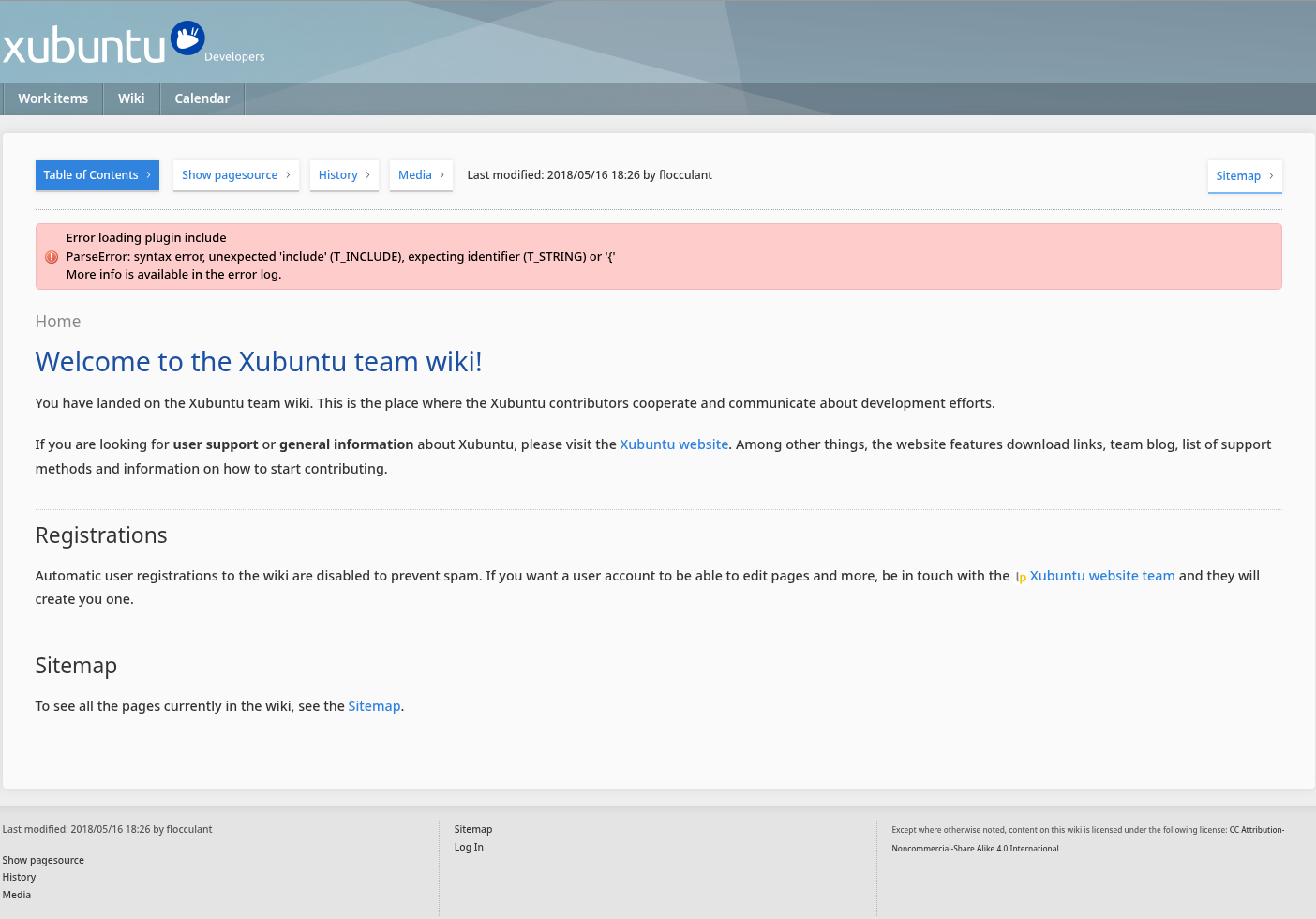
If you’ve browsed Xubuntu’s DokuWiki in recent years, you’ve no doubt seen the error messages at the top of each page. Over the years, our team has done just enough maintenance to keep the Wiki operational while we considered other options.
Hugo, on the other hand, is an open-source static site generator that renders Markdown content into HTML. Many sites, including the Xubuntu website and my own, have moved to Hugo for fast, secure, and easy-to-maintain websites.
When the Xubuntu website was compromised in October 2025, we expedited efforts to replace our aging infrastructure with static sites, reducing our attack surface and ongoing maintenance requirements. We completed our website migration from WordPress to Hugo, and I started investigating options for our Wiki.
Rebuilding the Wiki with Hugo
Initially, I experimented with GitHub’s native project wikis, which are backed by Git. I scraped the public Xubuntu Wiki pages and their revision history, attachments included, converting each historical revision into Markdown and reconstructing the history as Git commits. Each commit retained its original author attribution and timestamp, going back to 2015.
After several experiments, I had a complete copy of the Wiki in GitHub, with its history intact. While it technically worked, GitHub Wikis offered limited discoverability and customization. At some point, it occurred to me that since I now had the entire Wiki in Markdown files, I could use Hugo to render it.
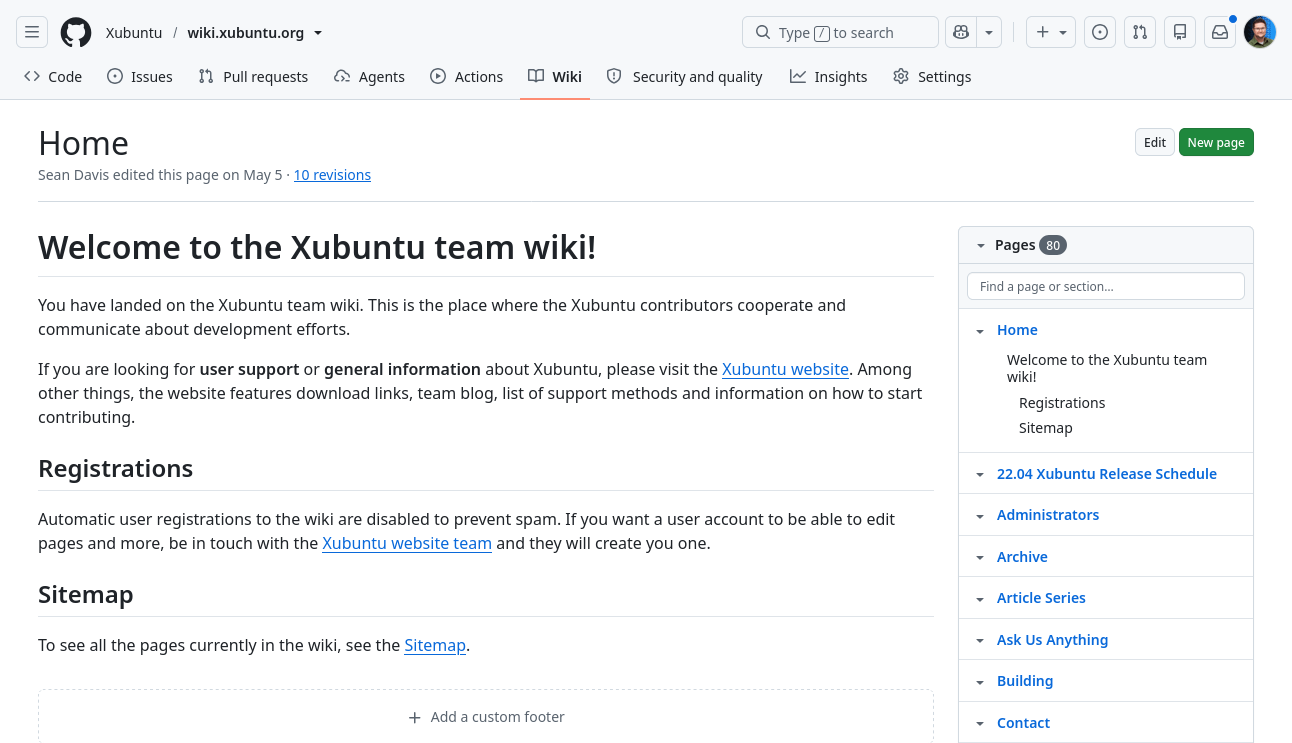
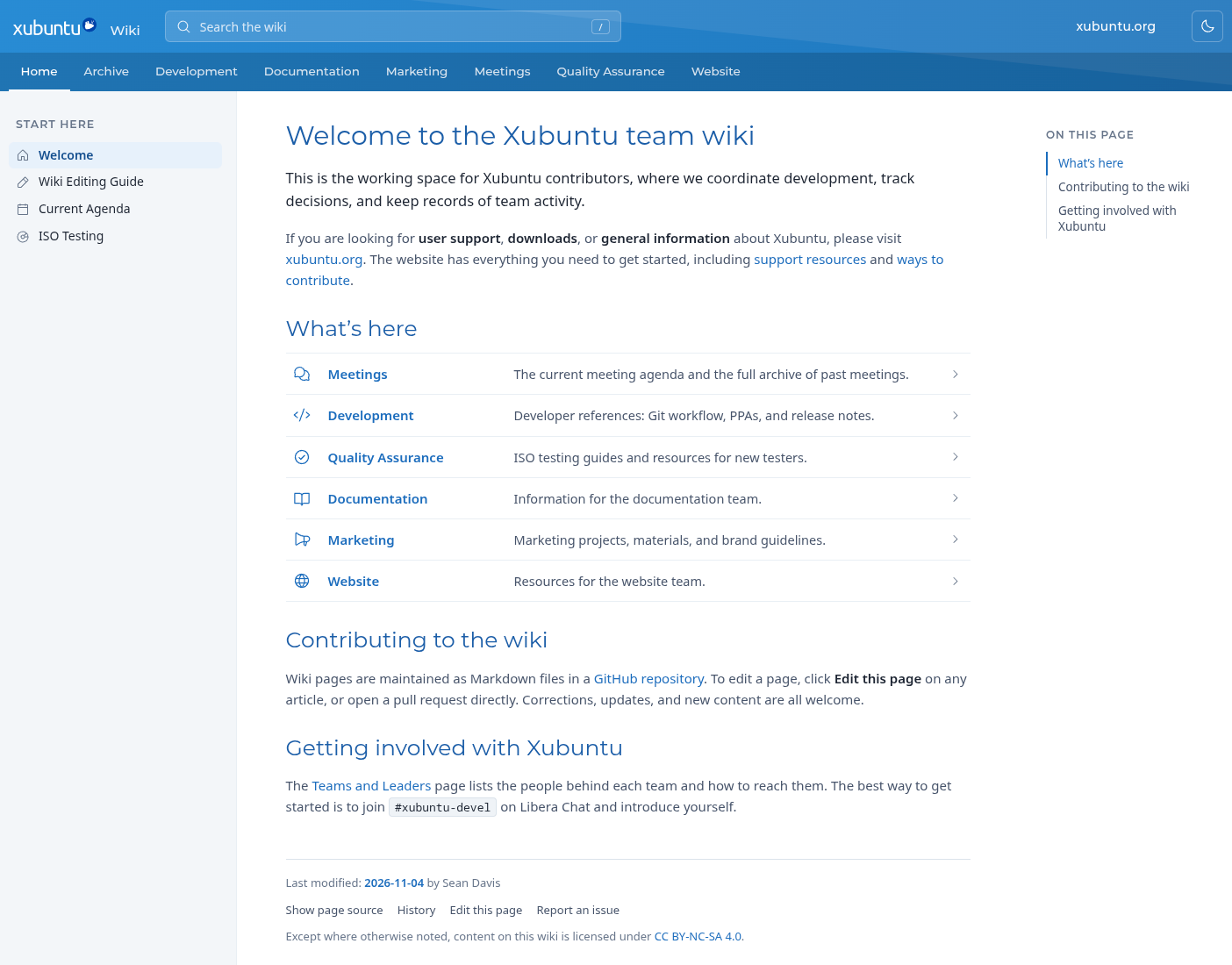
I started with Hugo Book, which got me closer to my goal of a wiki-like website, and incorporated design elements from the updated Xubuntu website. I made a lot of progress in a short time before getting wrapped up in other work (like applying for the Linux Professional Institute Board of Directors).
Once I resumed development, I decided to fork Hugo Book to create Xubuntu’s own wiki theme, incorporating our specific design and features directly.
Preserving 20 years of Xubuntu history
Around the same time, Canonical announced that the MoinMoin-powered Ubuntu Wiki was due to be decommissioned and replaced with a new MediaWiki-powered site, with much of the existing content not scheduled for migration.
This kicked off another migration. Years of Xubuntu meeting logs, meeting minutes, draft documents, specifications, and other project history were at risk of being lost. I spent several days scraping this content from both the Ubuntu Wiki and Meetingology, converting it to Markdown, and incorporating it into the new Xubuntu Wiki.
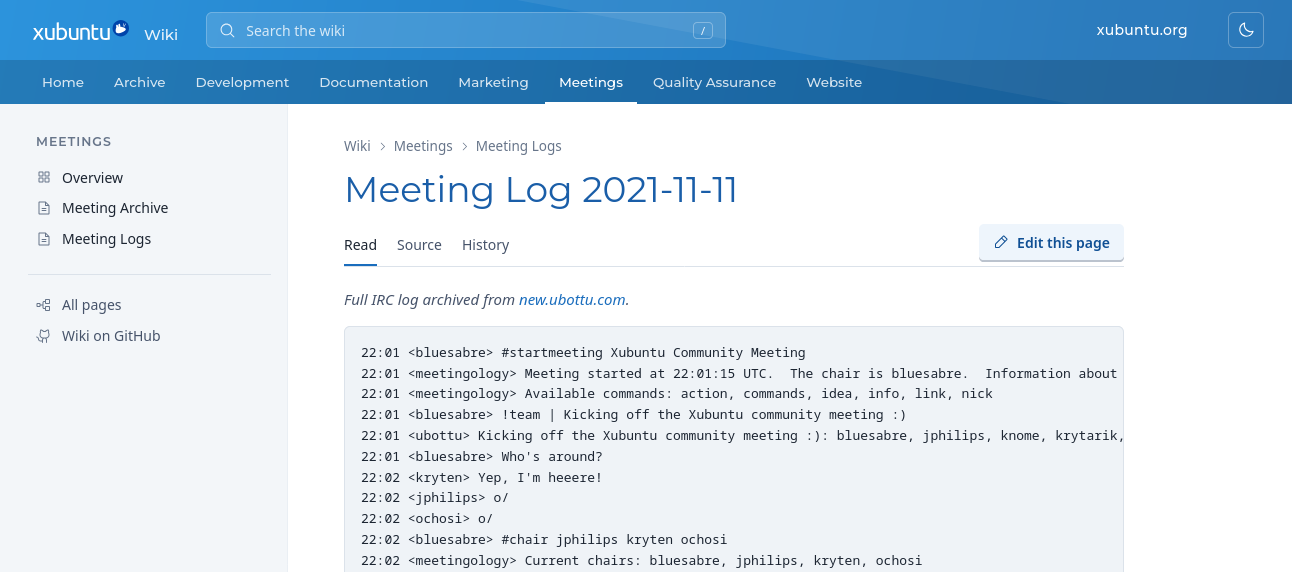
The resulting Wiki includes:
- 596 total pages
- 302 meeting pages, going back to January 17, 2006 (before Xubuntu’s first release later that year)
- 215 roadmap, specification, and team report pages
These documents provide a fascinating look at how Xubuntu has evolved over the years. They document not only what changed, but also the discussions, motivations, and decisions that helped shape the project. Preserving this content was only half the challenge, though. It also needed to be easy to find.
Making history discoverable
The Hugo Book theme used Fuse.js for fuzzy search, but it wasn’t ideal for our needs. Fuse.js loads the full search index into the browser, making it heavy for full-text search across Xubuntu’s extensive meeting archives and long-form documents.
I found another option, Pagefind, which generates a full-text search index from the completed Hugo build at deployment time. Pagefind loads portions of the index as needed, providing fast, interactive search without requiring a search server.
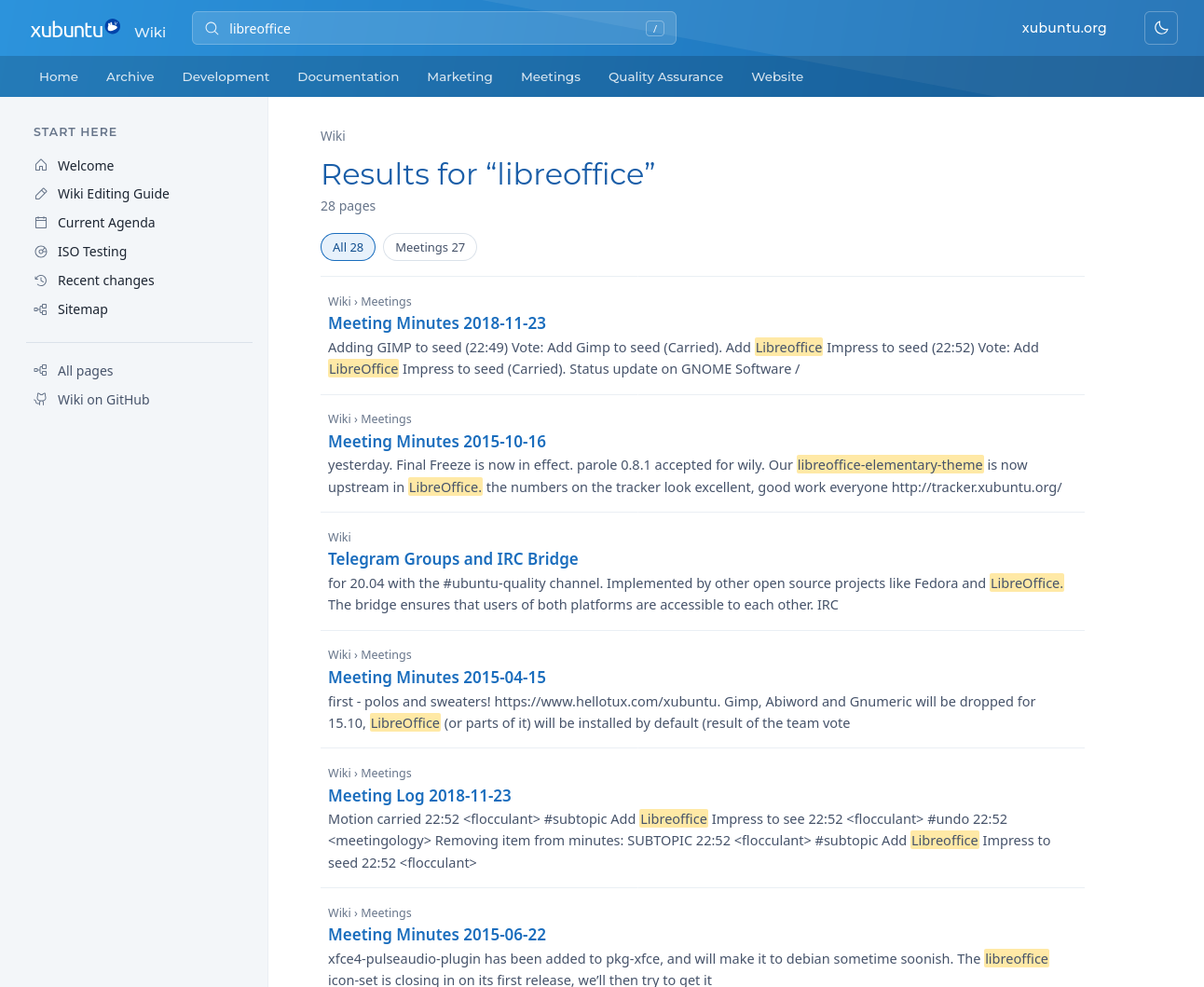
Combined with our meeting archive and historical specifications, you can now easily explore Xubuntu’s history and discover when, why, and how certain decisions were made throughout the project’s 20-plus-year history. It’s a particularly useful resource for anyone interested in understanding how Xubuntu became what it is today.
Building a better Wiki experience
Beyond preserving content and making it searchable, I wanted to retain the conveniences you’d expect from a traditional wiki while taking advantage of our new static architecture.
Every content page includes:
- View source: Browse the original Markdown content.
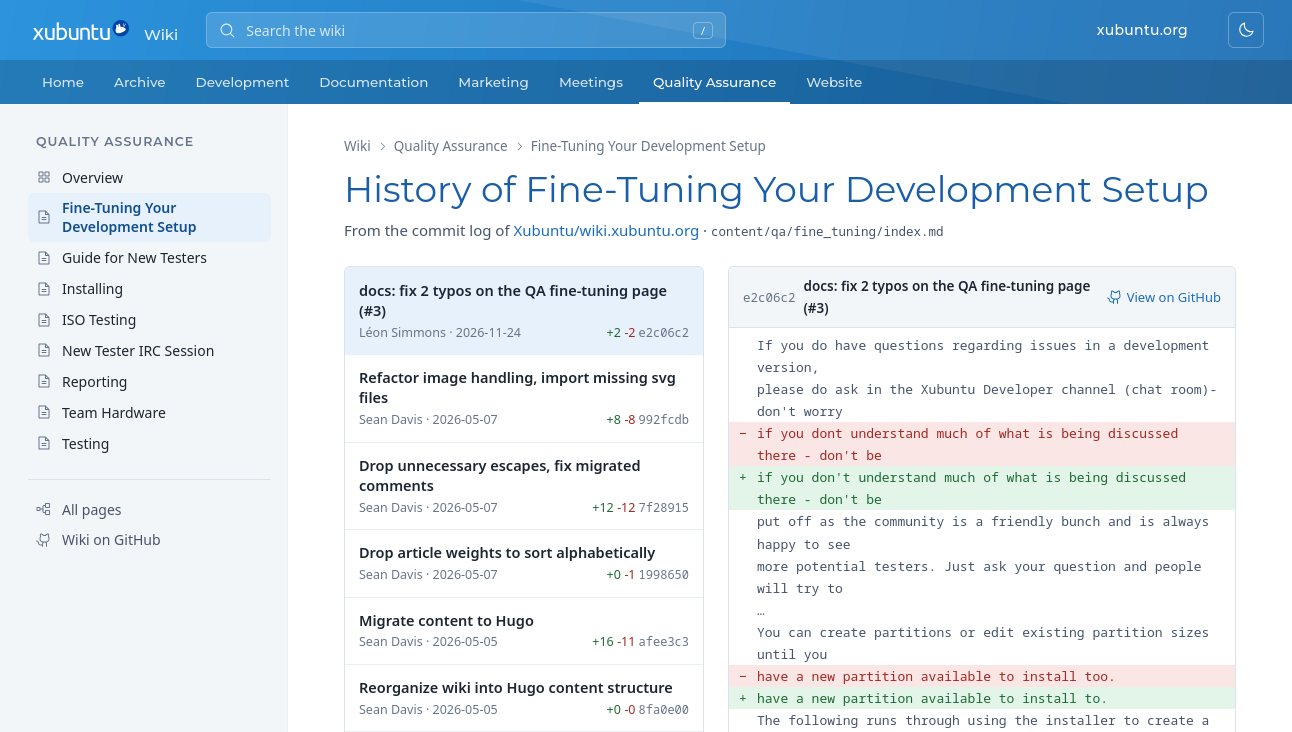
- Revision history: Explore changes to a page, including authorship and timestamps, without leaving the Wiki.
- Edit this page: Jump directly into editing the page on GitHub.
- Report an issue: Let us know when something is missing, incorrect, or broken.
The revision history is generated at deployment time from the Git log, making it accessible without visiting GitHub.
The homepage also includes a link to recent changes, listing the 50 most recently updated pages in one place. You can easily see what the team and community have been working on.
The meetings homepage embeds the latest meeting summary, a feature we previously enjoyed on the Ubuntu Wiki.
Finally, since release notes have moved to the main Xubuntu website, the new wiki supports redirects using hugo-redirect. Any article that has moved to another site can be replaced with a small redirect file, preserving old URLs and making our readers’ lives easier.
Many of the conveniences of a traditional wiki are available without another account to maintain or a dynamic application to manage.
Deployment and contributing
Rather than maintaining a separate wiki application where contributors sign up or request access, the site is built and deployed with every commit to the main branch.
For the technically interested, our GitHub Actions workflow:
- Generates page history and recent changes from the Git log.
- Builds the site using Hugo 0.160.1.
- Generates the Pagefind search index.
- Deploys the resulting build artifact to GitHub Pages.
There’s no dedicated application server to patch, no database to maintain, and everything is developed in the open.
Contributors can clone the repository and run the Wiki locally with minimal setup. We’ve included a distrobox.ini configuration file so you can easily build and run the Wiki in a consistent development environment, with changes reflected instantly. See Using distrobox for more information.
distrobox assemble create --file distrobox.ini
distrobox enter wiki-xubuntu-org
git submodule update --init
hugo server
Of course, if you’re making small content updates, you can edit the Markdown files directly in GitHub and create a pull request, all from the web interface.
We’ve already had our first community pull request fixing some ancient typos. Thanks!
TL;DR
- The new Xubuntu Wiki is powered by Hugo and hosted on GitHub Pages.
- It includes every public page and revision from the old Xubuntu Wiki, with original author attribution and timestamps preserved in Git.
- It incorporates years of Xubuntu meetings, specifications, and historical documentation from the Ubuntu Wiki and Meetingology.
- Fast, full-text search makes more than 20 years of Xubuntu history easily discoverable.
- Pages include source viewing, revision history, editing, and issue reporting.
- Recent changes lists the 50 most recently updated pages.
- The entire Wiki is developed in the open, with content and infrastructure maintained through GitHub.
I’m excited that what started as an infrastructure modernization project has resulted in a more accessible record of Xubuntu’s history and a better foundation for documenting its future.
Explore the new Xubuntu Wiki or check out the source on GitHub.